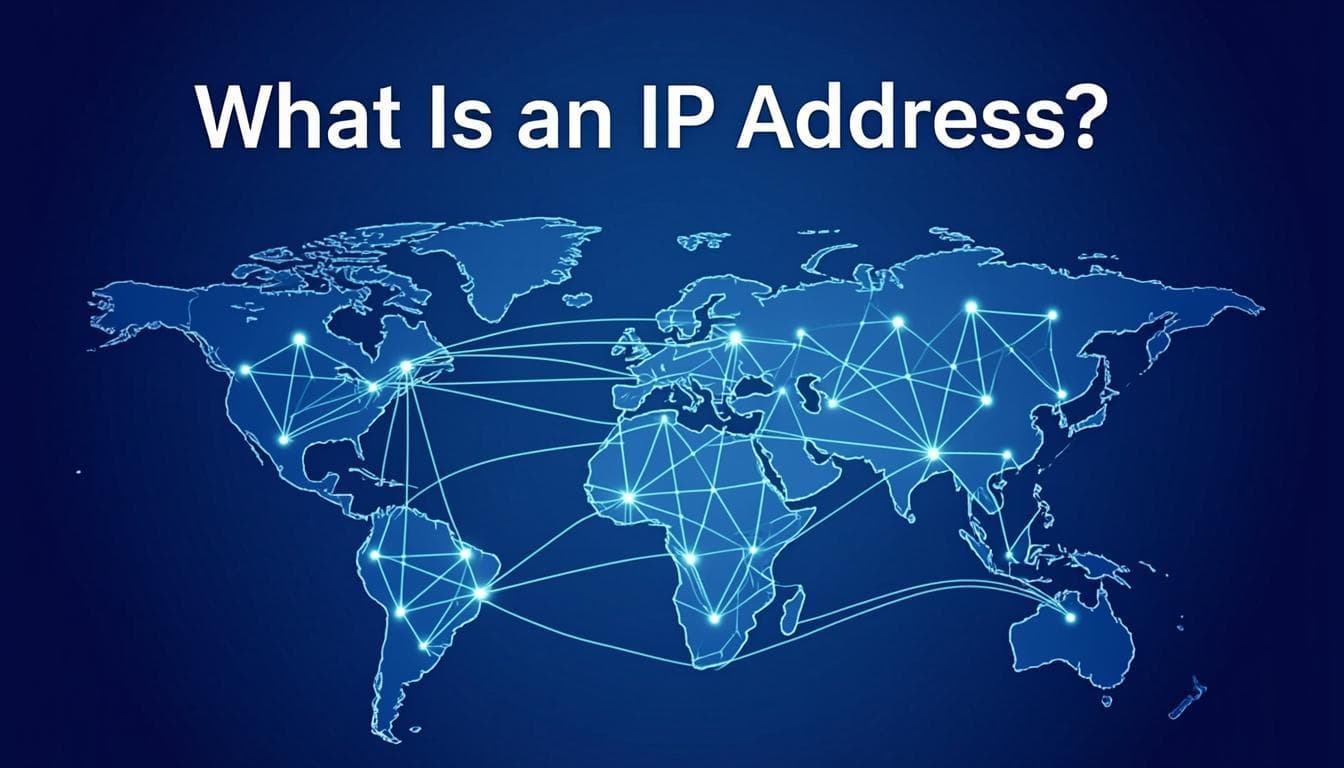
What Is an IP Address? The Complete Guide to How Your Internet Identity Works
What Is an IP Address?
An IP address (Internet Protocol address) is a unique numerical identifier assigned to every device connected to a computer network that uses the Internet Protocol for communication. Think of it as a digital mailing address — without one, data packets wouldn't know where to go, and the internet as we know it would cease to function. Every time you visit a website, send an email, or stream a video, your device uses IP addresses to route that traffic to the correct destination and back to your screen. The entire architecture of the modern internet depends on this addressing system, which was formalized in the early days of ARPANET and has since scaled to support over 5.3 billion connected devices worldwide as of 2025.
At its core, an IP address serves two fundamental purposes: host identification and location addressing. Host identification ensures that each device on a network can be uniquely distinguished from every other device, preventing data from being delivered to the wrong recipient. Location addressing provides the routing information that networks use to forward packets toward their destination through a series of intermediate routers. Without both of these functions operating in tandem, the packet-switched architecture that powers the internet would be unable to deliver data reliably. This dual purpose is what makes IP addresses so critical — they are not merely identifiers, but navigational coordinates in the global network topology.
The concept of IP addresses was first introduced in 1974 with the publication of RFC 675, which described the original Internet Protocol. This was later superseded by IPv4 in RFC 791 (1981), which established the 32-bit addressing format still dominant today. As the internet grew exponentially through the 1990s and 2000s, it became clear that the 4.3 billion addresses available under IPv4 would eventually be exhausted, leading to the development of IPv6 with its 128-bit address space capable of supporting approximately 3.4 × 1038 unique addresses. Today, both IPv4 and IPv6 operate simultaneously on the internet, with IPv6 adoption steadily increasing year over year as regional internet registries exhaust their IPv4 allocations.
How IP Addresses Work — A Step-by-Step Walkthrough
Understanding how IP addresses function within the broader internet infrastructure requires following the journey of a data packet from its source to its destination. When you type a URL into your browser, a complex chain of events unfolds in milliseconds, and IP addressing is at the heart of every step. The process begins with DNS resolution, where your device translates the human-readable domain name (like ippulsepro.com) into an IP address (like 104.21.45.167). This IP address is what your computer actually uses to route traffic — domain names exist solely for human convenience, while the underlying network infrastructure operates entirely on IP addresses.
Once your device has the destination IP address, it constructs a data packet that includes both the source IP address (your device's address) and the destination IP address. This packet is then passed down through the protocol stack to your local network interface, which determines whether the destination is on the same local network or requires routing through a gateway. If the destination is remote — which it almost always is when accessing a website — the packet is sent to your default gateway (typically your router), which examines the destination IP address and consults its routing table to determine the next hop. This process repeats at each intermediate router along the path, with each router making a forwarding decision based solely on the destination IP address in the packet header.
The routing process relies on the hierarchical structure of IP addresses. IP addresses are not assigned randomly — they are allocated in blocks to regional internet registries (RIRs), which then distribute them to internet service providers (ISPs) and organizations. This hierarchical allocation means that routers don't need to know the exact location of every IP address on the internet; they only need to know which direction to send packets for a given range of addresses. This is accomplished through routing protocols like BGP (Border Gateway Protocol), which allows autonomous systems to exchange routing information. When a packet arrives at a router, the router performs a longest-prefix match against its routing table to find the most specific route available for the destination IP address, then forwards the packet accordingly.
At the destination network, the final router delivers the packet to the target device using the local network's data link layer protocol (such as Ethernet or Wi-Fi). This final delivery step uses ARP (Address Resolution Protocol) in IPv4 or Neighbor Discovery in IPv6 to map the IP address to the device's physical MAC address. The destination device receives the packet, processes it up through the protocol stack, and sends a response back using the source IP address from the original packet. This bidirectional communication, enabled by the source and destination IP address fields in every packet, is what makes all internet communication possible.
IPv4 vs IPv6 — Key Differences with Comparison Table
The transition from IPv4 to IPv6 represents one of the most significant infrastructure changes in the history of the internet. IPv4, the fourth version of the Internet Protocol, uses a 32-bit address space that provides approximately 4.29 billion unique addresses. While this seemed like an inexhaustible supply in 1981 when the protocol was standardized, the explosive growth of internet-connected devices — from smartphones and laptops to IoT sensors and smart appliances — has pushed IPv4 to its limits. All five Regional Internet Registries (RIRs) have now exhausted their free IPv4 address pools, with APNIC being the first in 2011 and AFRINIC the last in 2020. IPv6 was developed specifically to address this limitation, offering a 128-bit address space that provides roughly 340 undecillion (3.4 × 1038) unique addresses — a number so vast that it dwarfs even the estimated number of atoms in the observable universe.
Beyond the expanded address space, IPv6 introduces several technical improvements over IPv4. The IPv6 header is simpler and more efficiently structured, with a fixed 40-byte base header compared to IPv4's variable-length header of 20-60 bytes. This simplification allows routers to process IPv6 packets more quickly, reducing latency in high-throughput environments. IPv6 also eliminates the need for Network Address Translation (NAT), which was developed as a workaround for IPv4 address exhaustion. While NAT extends the life of IPv4 by allowing multiple devices to share a single public IP address, it breaks the end-to-end connectivity model that the internet was originally designed around and creates complications for peer-to-peer applications, VoIP, and certain security protocols.
IPv6 also includes built-in support for IPsec (Internet Protocol Security), providing native authentication and encryption capabilities at the network layer. While IPsec is also available for IPv4, it was retrofitted and is not universally implemented. Additionally, IPv6 features stateless address autoconfiguration (SLAAC), which allows devices to generate their own IP addresses without requiring a DHCP server, simplifying network administration. Despite these advantages, IPv6 adoption has been gradual — as of early 2025, Google reports that approximately 45-48% of users access their services over IPv6, with significant regional variation ranging from over 70% adoption in India to under 10% in some African nations.
| Feature | IPv4 | IPv6 |
|---|---|---|
| Address Length | 32 bits | 128 bits |
| Address Format | Dotted decimal (e.g., 192.168.1.1) | Colon-separated hex (e.g., 2001:0db8::1) |
| Total Addresses | ~4.29 billion (232) | ~340 undecillion (3.4 × 1038) |
| Header Size | 20–60 bytes (variable) | 40 bytes (fixed base) |
| IPsec Support | Optional (retrofitted) | Built-in (native) |
| Address Configuration | DHCP or manual | SLAAC, DHCPv6, or manual |
| NAT Requirement | Required due to address scarcity | Not needed (direct addressing) |
| Broadcast Support | Yes (broadcast flooding) | No (replaced by multicast) |
| Fragmentation | Routers and sender | Sender only (Path MTU Discovery) |
| Checksum Field | Present in header | Removed (handled by lower layers) |
| QoS Handling | TOS field (8 bits) | Flow Label field (20 bits) |
| DNS Record Type | A record | AAAA record |
Public vs Private IP Addresses
IP addresses are divided into two distinct categories based on their scope and reachability: public IP addresses and private IP addresses. A public IP address is globally unique and routable on the open internet, meaning any device anywhere in the world can send data directly to it. These addresses are allocated by the Internet Assigned Numbers Authority (IANA) to Regional Internet Registries, which then distribute them to ISPs and large organizations. Every website, email server, and internet-facing service must have at least one public IP address to be reachable from the global internet. Your home router also receives a public IP address from your ISP, which serves as the gateway between your local network and the rest of the internet.
A private IP address, by contrast, is used within a local network and is not routable on the public internet. The IANA has reserved specific address ranges for private use, defined in RFC 1918. These ranges are: 10.0.0.0 to 10.255.255.255 (10.0.0.0/8, providing over 16 million addresses), 172.16.0.0 to 172.31.255.255 (172.16.0.0/12, providing about 1 million addresses), and 192.168.0.0 to 192.168.255.255 (192.168.0.0/16, providing 65,536 addresses). Any organization or individual can use these private addresses without registering them, and because they are not globally unique, the same private IP address can exist in millions of separate local networks simultaneously without conflict. This is why your home network likely uses 192.168.1.x addresses, and so does your neighbor's — they are completely isolated from each other.
The bridge between private and public IP addresses is Network Address Translation (NAT), a function performed by your router. When a device on your local network sends a request to the internet, the router replaces the private source IP address with its own public IP address, records the translation in a NAT table, and forwards the packet. When the response arrives, the router looks up the NAT table, replaces the destination back to the private IP address, and delivers the packet to the correct device. This process allows hundreds of devices on a private network to share a single public IP address, which has been essential for extending the life of IPv4 despite its limited address space.
Static vs Dynamic IP
IP addresses can also be categorized by their permanence: static IP addresses remain fixed and never change, while dynamic IP addresses are temporarily assigned and may change over time. The distinction between static and dynamic addressing has significant implications for network management, service hosting, and security. Static IP addresses are essential for any device or service that needs to be consistently reachable at the same address — web servers, email servers, DNS servers, and VPN endpoints all require static IPs so that other systems on the internet can reliably find them. Without a static address, a DNS record pointing to your server would become invalid every time the IP changed, causing service interruptions.
Dynamic IP addresses, on the other hand, are the norm for consumer internet connections and most end-user devices. They are assigned by DHCP (Dynamic Host Configuration Protocol) servers, typically operated by ISPs or local network administrators. When your device connects to a network, it sends a DHCP Discover broadcast, and the DHCP server responds with an IP address lease — typically lasting 24 hours to 7 days for ISP-assigned addresses, and 8 to 24 hours for local network leases. When the lease expires, the device must renew it or be assigned a new address. This dynamic allocation is far more efficient than static assignment because it allows ISPs to share a pool of IP addresses among a larger number of customers, since not all customers are online simultaneously. Studies have shown that dynamic addressing can reduce the number of IP addresses an ISP needs by 3-5x compared to static assignment.
For businesses and power users, the choice between static and dynamic IP involves several trade-offs. Static IPs offer predictability and enable inbound connections, making them necessary for hosting services, running your own mail server, setting up site-to-site VPNs, or using remote desktop access without a dynamic DNS service. However, static IPs can also present a security consideration — because the address never changes, it's easier for attackers to target a specific host over extended periods. Dynamic IPs provide a modest security benefit through their changing nature, though this should not be relied upon as a security measure. Many ISPs charge an additional monthly fee for static IP addresses (typically $5–$15 per month for residential connections), and business-grade connections with static IPs often come at a premium. If you need the benefits of a static address without the cost, Dynamic DNS (DDNS) services can map a domain name to your changing IP address, updating the DNS record automatically whenever your IP changes.
How to Find Your IP Address
Finding your IP address is a straightforward process, but the method differs depending on whether you need your public IP (the one the internet sees) or your private IP (the one your local network uses). Your public IP address is the address assigned to your router by your ISP, and it's what every website and online service sees when you connect to them. The quickest way to find your public IP is to use a free online tool like the IP lookup on IP Pulse Pro, which will display your public IP address along with geolocation data, ISP information, and other details. Alternatively, you can search "what is my IP" in any major search engine, and the result will appear at the top of the page. For a more technical approach, you can open a terminal or command prompt and use commands like curl ifconfig.me or curl ipinfo.io/ip to retrieve your public IP programmatically.
Finding your private IP address — the address your router assigns to your specific device on your local network — requires a different approach. On Windows, open Command Prompt and type ipconfig; your private IP will appear next to "IPv4 Address" under your active network adapter. On macOS, open Terminal and type ifconfig | grep inet or navigate to System Settings → Network and view your connection details. On Linux, use ip addr show or hostname -I in the terminal. On mobile devices, you can find your private IP in the Wi-Fi settings — on iOS, tap the "i" icon next to your connected network, and on Android, look under Settings → Network → Wi-Fi → Advanced. Knowing both your public and private IP addresses is useful for troubleshooting network issues, configuring port forwarding, setting up remote access, or verifying that a VPN connection is working correctly.
It's worth understanding that your public IP address can reveal more information than you might expect. When you visit a website, your public IP address is logged in server access records, and it can be used to determine your approximate geographic location (typically accurate to the city level), your ISP, your organization (if using a business connection), and your timezone. This is how websites serve localized content and how streaming services enforce regional restrictions. Tools like IP Pulse Pro's IP Geolocation lookup can show you exactly what information is associated with your IP address, which can be eye-opening for those concerned about online privacy. Using a VPN or Tor can mask your real IP address by routing your traffic through servers in different locations, making it appear as though you're connecting from a different geographic region.
Can Someone Track You Through Your IP?
The short answer is yes — your IP address can be used to track certain aspects of your online activity, but the scope and precision of this tracking is often misunderstood. Your IP address does not directly reveal your name, home address, phone number, or other personally identifiable information. However, it does reveal your approximate geographic location (typically at the city or neighborhood level), your Internet Service Provider, and your organization if you're on a corporate or institutional network. Websites you visit can log your IP address along with timestamps, pages viewed, and other behavioral data, building a profile of your browsing habits over time. Advertising networks and data brokers can correlate IP addresses across multiple websites to create detailed user profiles, even without knowing your actual identity.
Law enforcement agencies can take IP tracking significantly further by working with ISPs. Because ISPs are required to maintain logs of which customer was assigned which IP address at any given time (often for 6-12 months or longer, depending on local data retention laws), an IP address can be traced back to a specific subscriber account. With a court order or subpoena, law enforcement can compel an ISP to reveal the identity of the person assigned a particular IP address at a specific time. This is how many cybercrime investigations proceed — an IP address found in server logs or associated with malicious activity serves as the starting point for identifying the responsible party. In the United States, the Electronic Communications Privacy Act (ECPA) governs this process, while the EU's General Data Protection Regulation (GDPR) provides individuals with rights regarding how their IP address data is processed and stored.
Several methods exist to protect your IP address from tracking. A VPN (Virtual Private Network) encrypts your internet traffic and routes it through a server in a location of your choosing, replacing your real IP address with the VPN server's IP. This is the most common and effective method for most users. The Tor network provides even stronger anonymity by routing your traffic through three random relay nodes, with each node only knowing the previous and next hop — no single node can trace the full path. Proxy servers offer basic IP masking but typically don't encrypt your traffic, making them less secure than VPNs. Using cellular data instead of Wi-Fi changes your IP address to one assigned by your mobile carrier, which rotates periodically. It's important to note that while these tools can mask your IP address, they don't make you completely anonymous — browser fingerprinting, cookies, and other tracking techniques can still identify you across sessions. A comprehensive privacy strategy should combine IP masking with anti-fingerprinting measures, cookie management, and encrypted communications.
Try IP Lookup Tool
Instantly check your IP address, geolocation, ISP, and more with our free IP lookup tool.
Frequently Asked Questions
Related Articles
WHOIS Lookup Guide: How to Find Who Owns a Domain and What Information Is Public
Master WHOIS lookups to discover domain ownership, registration details, and what personal data is publicly exposed — plus how to protect your own privacy.

IP Geolocation: How Websites Know Where You Are — and What They Do With That Data
Discover how IP geolocation works, what your IP address reveals about your location, and how accurate (or inaccurate) it really is.